Why Website Optimization is Critical for Business Success

Learning how to optimize your site can transform your struggling online presence into a traffic-generating machine. Here's the quick answer:
Essential Website Optimization Steps:
- Improve site speed - Compress images, enable caching, use a CDN
- Create quality content - Write for users first, optimize for search engines second
- Fix technical issues - Ensure mobile-friendliness, fix broken links, optimize URLs
- Improve user experience - Simplify navigation, improve page layout, reduce bounce rate
- Monitor and adjust - Use analytics tools to track progress and make improvements
Website optimization isn't just about pleasing search engines anymore. It's about creating a digital experience that converts visitors into customers while adapting to the evolving AI-driven search landscape.
The numbers tell the story: 88% of people won't return to a website after a bad first experience . Meanwhile, a B2B site that loads in one second has a conversion rate 3x higher than a site that loads in five seconds . With 59.5% of website visits now coming from mobile devices, your site must perform flawlessly across all platforms.
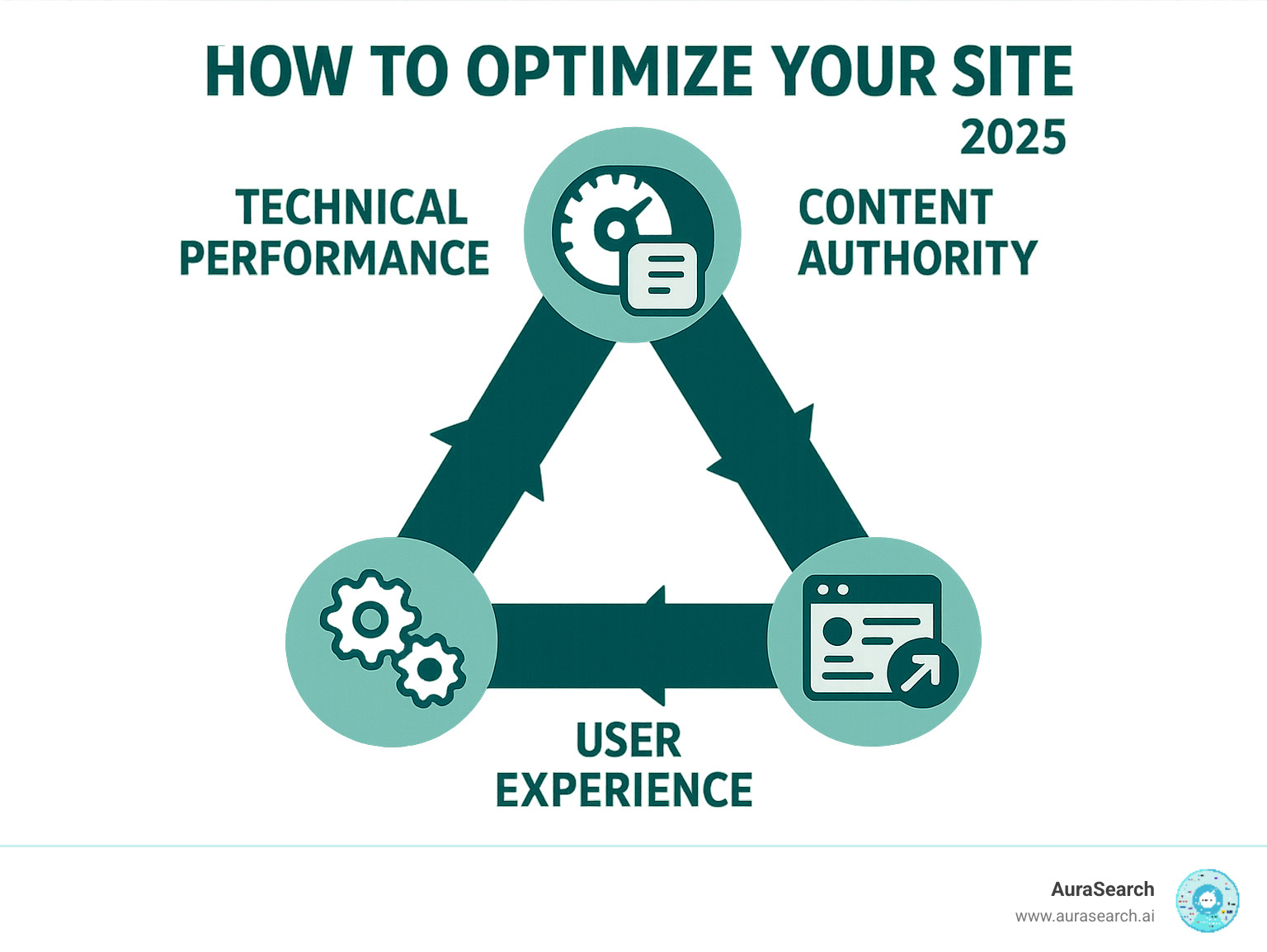
Website optimization breaks down into three core areas: technical performance (speed and mobile-friendliness), content authority (quality information that ranks well), and user experience (intuitive design that converts). When you master all three pillars, you create a website that not only ranks higher in traditional search but also gets featured in AI-powered search results.
Pillar 1: Building a High-Speed Technical Foundation
Picture this: you're excited to check out a new website, but after clicking the link, you're stuck watching a blank screen. Five seconds pass. Then ten. Frustrating, right? You're not alone— research shows users will abandon a page if it doesn't load within 3 seconds .
This is exactly why technical performance forms the backbone of how to optimize your site . When your website loads quickly and smoothly, visitors stick around. When it doesn't, they bounce faster than you can say "loading screen."
The stakes have gotten even higher with Google's shift to mobile-first indexing. Since over half of all web traffic now comes from smartphones, your site needs to perform flawlessly on every device. Google literally judges your entire website based on how well it works on mobile.
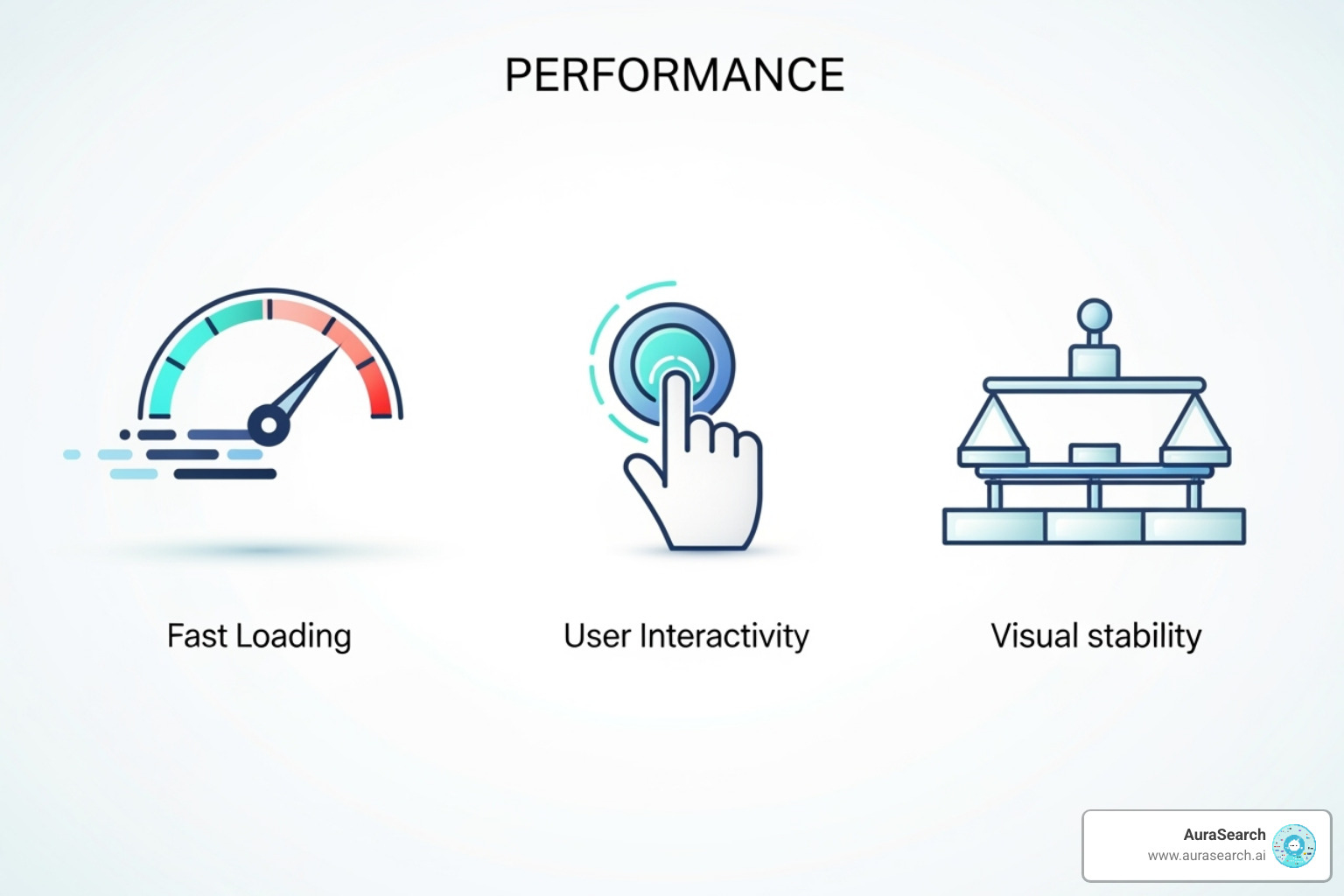
At the heart of technical optimization are Google's Core Web Vitals —three crucial metrics that measure real user experience:
Largest Contentful Paint (LCP) measures how quickly your main content loads. You want this under 2.5 seconds. First Input Delay (FID) tracks how fast your site responds when someone clicks or taps—aim for under 100 milliseconds. Cumulative Layout Shift (CLS) ensures your page doesn't jump around while loading, with a target of 0.1 or less.
These aren't just nice-to-have numbers. Google uses these metrics as ranking factors, meaning faster sites literally rank higher in search results. The sweet spot is getting your site to load in under 3 seconds , with a Time to First Byte (TTFB) below 200 milliseconds being ideal.
Why Website Speed is Crucial
Here's where things get serious for your business. When your site takes longer than three seconds to load, you lose 53% of mobile visitors before they even see your content. That's more than half your potential customers walking away because of a few extra seconds.
But speed isn't just about keeping visitors—it's about converting them. Fast websites directly boost your bottom line . For every second you shave off your load time, conversion rates can increase by 17%. Think about it: a smooth, snappy experience removes friction from the buying process. No one wants to wait around when they're ready to make a purchase.
The numbers are even more dramatic for B2B sites. A website that loads in one second has conversion rates 3x higher than one that takes five seconds, and 5x higher than sites that crawl along at 10 seconds. Those extra seconds aren't just annoying—they're costing you real money.
Search engines notice too. Google has used page speed as a ranking factor for desktop searches since 2010 , and added mobile speed in 2018. Faster sites get rewarded with better visibility, while slow sites get buried deeper in search results.
Best Practices for a Faster Website
Ready to speed up your site? Let's explore the tactics that actually work.
Image optimization is your biggest quick win. Those beautiful high-resolution photos might look great, but they're probably slowing you down. Compress images using tools like TinyPNG, choose JPEG for photos and PNG for graphics with text, and implement responsive images so mobile users don't download massive desktop-sized files.
Gzip compression works like magic, shrinking your CSS, JavaScript, and HTML files by up to 70%. It's a server setting that makes everything smaller and faster to download. Your hosting provider can usually enable this with a simple request.
Browser caching is another game-changer. When someone visits your site, their browser can store static files locally. On their next visit, these files load instantly from their computer instead of downloading again. It's like giving returning visitors a VIP fast-pass.
Minifying your CSS and JavaScript removes unnecessary spaces, comments, and characters from your code. It might sound technical, but tools like Webpack or Gulp can automate this process, making your files smaller and faster to load.
Reducing HTTP requests means fewer trips between the browser and your server. Every image, stylesheet, and script requires a separate request. Remove unnecessary elements, combine files where possible, and if you're using WordPress, audit your plugins—each one typically adds more files to load.
Content Delivery Networks (CDNs) distribute your content across multiple servers worldwide. When someone in Tokyo visits your site, they get files from a server in Asia instead of waiting for data to travel from your server in New York. It's like having express delivery for your website content.
Reliable hosting forms the foundation of everything else. Shared hosting plans often create bottlenecks when traffic spikes. Consider upgrading to a VPS or dedicated server if your site gets steady traffic.
Finally, switching to HTTP/2 allows multiple files to download simultaneously over the same connection, eliminating the traffic jams that slow down older HTTP/1.1 sites.
The best part? You don't need to implement everything at once. Start with image optimization and compression—these alone can dramatically improve your load times and get you well on your way to mastering how to optimize your site .
Pillar 2: Creating Authoritative Content That Ranks
Now that you've built a lightning-fast website, it's time to fill it with content that actually deserves to be found. Think of this pillar as the heart of how to optimize your site – because what good is a fast website if nobody can find it or wants to stay once they arrive?
On-page SEO is your secret weapon here. It's not just about stuffing keywords into your content (please don't do that – it makes everyone cringe, including Google). Instead, it's about creating pages that genuinely help people while giving search engines clear signals about what you're all about.
Here's where things get interesting: Google doesn't just want any content – it wants content that demonstrates E-E-A-T (Experience, Expertise, Authoritativeness, Trustworthiness). While this isn't a direct ranking factor you can check off a list, it's how Google's human reviewers evaluate whether content is actually worth showing to people.
When you create link-worthy content – the kind that other websites naturally want to reference – you're building real authority. These aren't the links you beg for or buy; they're the ones you earn because you've created something genuinely valuable.
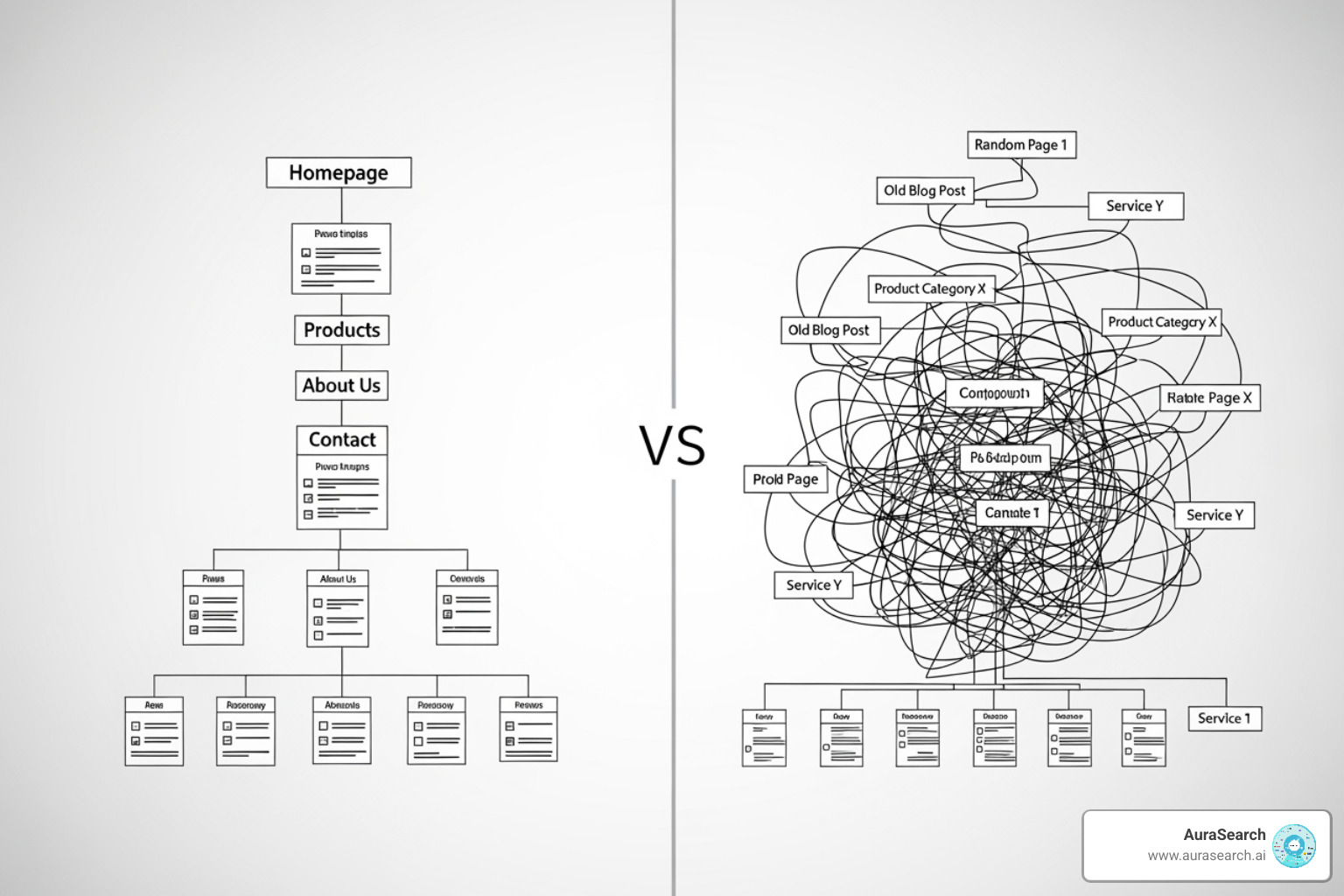
But even the best content can get lost without proper site structure . If you have thousands of pages scattered around like books thrown on the floor, both visitors and search engines will struggle to make sense of it all. A logical hierarchy with smart internal linking helps everyone understand how your content connects together.
How to optimize your site content for readers and search engines
The best content optimization happens when you stop trying to trick search engines and start focusing on actually helping people. It's like being a good host at a party – you want to make sure everyone finds what they're looking for and has a great time.
Start with keyword research , but don't stop there. Yes, you need to understand what terms people are searching for, but more importantly, you need to understand the user intent behind those searches. When someone types "how to optimize your site," are they looking for a quick checklist, a comprehensive guide, or specific technical solutions? Your content should answer that real need, not just repeat the phrase a dozen times.
Readability is where many websites stumble. You might have brilliant insights, but if your content looks like a wall of text, people will bounce faster than a rubber ball. Break things up with headers (H1, H2, H3), use bullet points when they make sense, and write like you're explaining something to a friend over coffee.
Keep your content unique and fresh. Google's gotten pretty good at spotting copied content, and frankly, your audience deserves better than recycled information. When you update old content or create something new, base it on your actual knowledge and experience. There's no magic word count that guarantees success – focus on thoroughly answering the question at hand.
Smart internal linking is like creating a helpful trail through your website. When you mention a related topic, link to your other relevant pages. This helps visitors find more of your content and shows search engines how your pages relate to each other.
For deeper insights into creating content that actually converts, check out more about our content services.
Influencing Your Appearance in Search Results
Your SERP appearance is like your website's first impression – and you only get one chance to make it count. When someone sees your listing in search results, you have about three seconds to convince them to click on your link instead of the nine other options staring them in the face.
Your title tags are the headline of your search listing. Make them clear, compelling, and honest about what people will find on your page. Include your primary keyword near the beginning, but don't sacrifice readability for SEO. A good title tag reads naturally while accurately describing your content.
Meta descriptions are your elevator pitch. While they don't directly impact rankings, a well-written description can dramatically improve your click-through rates. Think of it as the preview text that helps people decide whether your page is worth their time.
Don't forget about alt text for images . This serves double duty – it helps search engines understand your images for image search results, and it makes your site accessible to people using screen readers. Describe what's actually in the image in a natural, helpful way.
When you create links (whether internal or external), use descriptive link text . Instead of "click here," try something like "learn about responsive images" that tells people exactly where they're going. This improves both user experience and gives search engines more context about your content.
Schema markup might sound technical, but it's worth the effort. By adding this structured data from Schema.org , you help search engines understand your content better and potentially earn those eye-catching rich snippets in search results.
Finally, handle duplicate content thoughtfully. If the same content appears on multiple URLs on your site, use canonical tags or redirects to point search engines to your preferred version. And remember – copying content from other sites isn't just bad for SEO, it's against Google's spam policies and doesn't serve your audience well.
Your Step-by-Step Guide on How to Optimize Your Site
Now that we understand the three pillars of website optimization, let's talk about putting it all into action. Learning how to optimize your site effectively requires a systematic approach rather than random tweaks here and there.
Think of website optimization like renovating a house. You wouldn't start painting walls before fixing the foundation, right? The same principle applies here. We need to assess what we're working with, set clear goals, and tackle improvements in a logical order.
The process starts with a comprehensive website audit . This means running tests across all areas of your site—performance, SEO, user experience, and accessibility. It's like getting a full health checkup for your website. You'll find strengths you can build on and weaknesses that need immediate attention.
Next comes benchmarking . Before you change anything, document your current performance metrics. What's your average page load time? How many visitors bounce after viewing just one page? What keywords are you currently ranking for? This baseline becomes your measuring stick for success.
Prioritization is where many people get stuck. Your audit will likely reveal dozens of issues, but you can't fix everything at once. Focus on changes that will have the biggest impact on your goals. If your site takes 10 seconds to load, that's more urgent than tweaking your meta descriptions.
During implementation , resist the urge to change everything simultaneously. Make one significant change at a time when possible. This way, you can clearly see what's working and what isn't. It's like adjusting ingredients in a recipe—change too many things at once, and you'll never know which ingredient made the difference.
Monitoring your progress keeps you on track and motivated. Set up regular check-ins to review your metrics. Are your changes moving the needle in the right direction? Sometimes what seems like a great idea in theory doesn't pan out in practice.
Finally, adjustment and routine re-audits ensure you stay ahead of the curve. Search engines update their algorithms, user behaviors evolve, and new technologies emerge. What worked six months ago might not work today.

Essential first steps for how to optimize your site
Before diving into optimization work, you need the right tools to guide your decisions. Think of these as your optimization toolkit—each serves a specific purpose in understanding and improving your website's performance.
Google Analytics forms the backbone of your measurement strategy. This free tool reveals how visitors interact with your site, which pages they love, and where they lose interest. You'll find whether people are finding your content through search, social media, or direct visits.
Google Search Console acts as your direct line of communication with Google. It shows you exactly how Google sees your site, including which pages are indexed, what search terms bring visitors to you, and any technical issues that might be holding you back. If Google finds problems with your site, this is where you'll hear about it first.
Page speed tools like PageSpeed Insights, GTmetrix, and Lighthouse give you detailed reports on your site's performance. These tools don't just tell you that your site is slow—they pinpoint exactly what's causing the slowdown and suggest specific fixes.
SEO crawlers like Screaming Frog act like search engine bots, systematically examining every page on your site. They'll catch broken links, missing meta descriptions, duplicate content, and other issues that might slip past manual review.
Keyword research tools such as Google Keyword Planner help you understand what your audience is actually searching for. Sometimes we think we know what people want, but the data tells a different story.
Heatmap tools like Hotjar show you exactly where visitors click, how far they scroll, and where they get confused. It's like watching over someone's shoulder as they use your website—incredibly revealing and often surprising.
Monitoring Progress and Measuring Success
Optimization without measurement is just guesswork. You need concrete data to prove your efforts are paying off and to guide your next moves.
Keyword rankings tell you whether your content is climbing the search results ladder. But remember, rankings alone don't pay the bills—focus on keywords that actually drive valuable traffic and conversions.
Organic traffic growth shows whether more people are finding your site through search engines. This metric often takes time to improve, so be patient and look for trends rather than day-to-day fluctuations.
Conversion rates reveal whether your optimization efforts are actually helping your business goals. A 300% increase in traffic means nothing if nobody takes action once they arrive.
Bounce rate improvements indicate that visitors are finding your content more engaging and relevant. When people stick around to explore multiple pages, it signals that you're meeting their expectations.
Page load speed and Core Web Vitals scores should show steady improvement as you implement technical optimizations. These metrics often improve quickly once you make the right changes.
Google Search Console becomes your best friend for tracking SEO progress. It shows you exactly which search terms are bringing visitors to your site, how often your pages appear in search results, and whether people are actually clicking through to visit.
Set up regular reporting cycles—maybe weekly for quick checks and monthly for deeper analysis. Create simple dashboards that show your most important metrics at a glance. When you can clearly see progress, it motivates you to keep pushing forward with your optimization efforts.
Frequently Asked Questions about Website Optimization
After working with countless businesses on their optimization journey, we've noticed the same questions come up time and again. Let's tackle the most common ones to help you better understand how to optimize your site effectively.
What are the three core pillars of website optimization?
Think of website optimization like building a house. You need three strong pillars to support the entire structure, and if any one of them is weak, the whole thing can come tumbling down.
The first pillar is Technical Performance . This covers your site speed, mobile-friendliness, and crawlability. It's the foundation that everything else sits on. Without solid technical performance, even the best content won't reach its full potential.
The second pillar is Content Authority . This means creating high-quality, relevant content that's optimized for SEO. Your content needs to demonstrate expertise, experience, authoritativeness, and trustworthiness to both users and search engines.
The third pillar is User Experience . This encompasses intuitive design, easy navigation, and conversion-focused elements. A beautiful, fast website means nothing if users can't figure out how to use it or find what they're looking for.
The magic happens when all three pillars work together. A successful optimization strategy addresses all three areas simultaneously, creating a website that not only ranks well but also converts visitors into customers.
How long does it take to see results from website optimization?
This is probably the question we hear most often, and honestly, it's a bit like asking "how long is a piece of string?" The answer depends on several factors, but let's break it down realistically.
Immediate improvements can happen with technical fixes. When you improve page speed or fix mobile usability issues, users will notice right away. You might see bounce rates drop and engagement metrics improve within days or weeks.
Search engine visibility takes much longer. Google needs time to crawl your improved pages, process the changes, and adjust your rankings accordingly. You may start to see an increase in impressions and traffic within 4-6 months , but substantial ranking improvements often take longer.
Website optimization is a continuous, long-term process rather than a one-time fix. The businesses that see the best results are those that commit to ongoing improvements and stay patient through the initial months. Think of it as training for a marathon, not sprinting to the finish line.
What are the most common factors that hinder website optimization?
We've seen plenty of websites struggle with optimization, and the culprits are usually the same suspects. Understanding these common roadblocks can help you avoid them entirely.
Slow page speed tops the list. Many site owners underestimate how much their large, uncompressed images and bloated code affect user experience. When visitors leave because your site takes forever to load, all your other optimization efforts become meaningless.
Poor mobile usability is another major issue. With over half of web traffic coming from mobile devices, a site that doesn't work well on phones is essentially broken for most users.
Low-quality or irrelevant content kills optimization efforts faster than anything else. If your content doesn't match what users are actually searching for, or if it's thin and unhelpful, search engines will notice and your rankings will suffer.
Confusing site structure makes it hard for both users and search engines to steer your content. When people can't find what they're looking for, they leave. When search engines can't crawl your site effectively, your pages don't get indexed properly.
The biggest hindrance of all? Ignoring user feedback and failing to monitor performance . Without data to guide your decisions, you're essentially optimizing blind. Regular monitoring helps you spot problems early and capitalize on what's working.
Conclusion: Future-Proofing Your Website for the AI Era
We've walked through the essential steps of how to optimize your site across three critical pillars: building that lightning-fast technical foundation, crafting content that search engines and humans love, and tracking your progress with the right tools. But here's the thing—optimization isn't a finish line you cross once and forget about.
The digital world is changing faster than ever. Generative AI and AI Overviews are completely reshaping how people find and consume information online. Your perfectly optimized website today might struggle tomorrow if you're not keeping up with these shifts. That's why continuous improvement isn't just nice to have—it's absolutely essential.
Think about it: AI-powered search results are becoming smarter at understanding context, user intent, and content quality. This means your optimization strategy needs to evolve too. You'll want to focus on creating genuinely helpful, reliable content that serves real people first. The technical performance we discussed? It's more important than ever because AI systems need to easily crawl, understand, and synthesize your content.
The future of search is here, and it's powered by artificial intelligence. Traditional SEO tactics alone won't cut it anymore. You need to think about how your content will appear in AI-generated responses, how it will be referenced in conversational search results, and how it will perform across both traditional search engines and emerging AI platforms.
This is where adapting to change becomes your competitive advantage. The businesses that thrive will be those that accept this evolution rather than resist it. They'll optimize not just for today's search algorithms, but for the AI-driven landscape that's rapidly taking shape.
At AuraSearch, we understand this change intimately. We specialize in helping businesses steer exactly these challenges with our expert generative AI SEO services. We're focused on ensuring your website doesn't just survive this shift—it thrives in it, maintaining visibility across traditional search results and the new world of AI Overviews .
Your website optimization journey doesn't end here. It's an ongoing process of learning, adapting, and improving. The strategies we've covered will give you a solid foundation, but staying ahead means embracing the AI revolution that's reshaping search forever.
Ready to future-proof your online presence? Optimize your site for the future of search and ensure you're prepared for whatever comes next in this exciting digital landscape.